

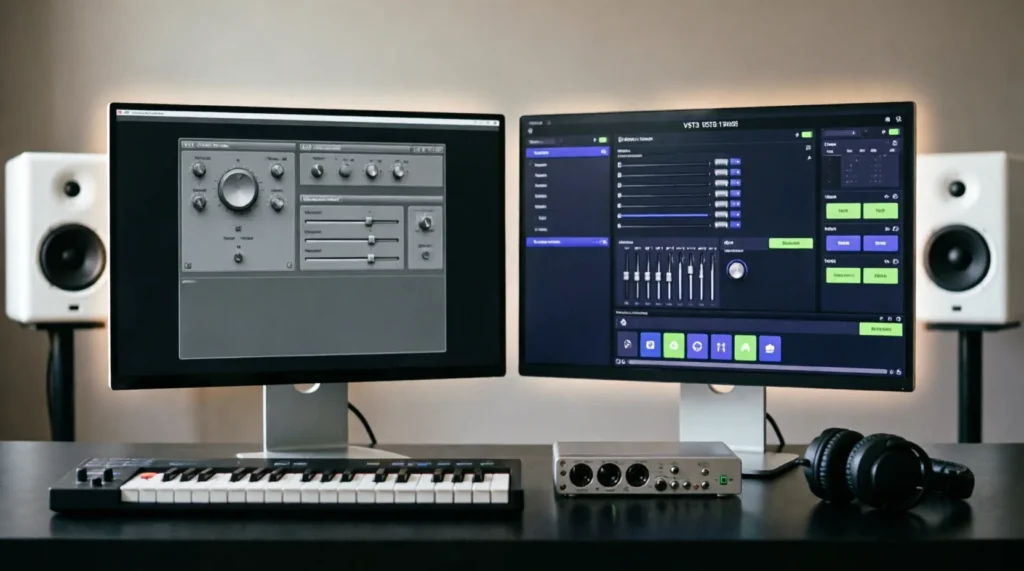
Quick answer: VST (Virtual Studio Technology) is the legacy plugin format created by Steinberg in 1996, while VST3 is the modern, efficient successor released in 2008 that supports dynamic I/O, improved CPU management, and advanced MIDI handling. If you are starting a new project today, always prioritize VST3 plugins over their older VST2 counterparts for better performance and stability.
The confusion between VST and VST3 is common among music producers, audio engineers, and home studio enthusiasts. Both formats allow you to add virtual instruments and effects to your Digital Audio Workstation (DAW), but they are built on fundamentally different architectures. While VST2 has been the industry standard for decades, VST3 represents a complete overhaul designed to meet the demands of modern computing and complex production workflows. Understanding this distinction is not just about technical trivia; it directly impacts your session’s CPU load, your ability to automate parameters, and the overall stability of your mix.
| Term | Meaning / When to use | Example sentence |
|---|---|---|
| VST (VST2) | The legacy plugin format (version 2.x). Use only when a specific plugin does not have a VST3 version or when working with older DAWs that lack VST3 support. | “I had to load the VST version of the compressor because the VST3 build was crashing my old interface.” |
| VST3 | The current standard plugin format (version 3.x). Use this whenever available for better CPU efficiency, sidechain flexibility, and note expression data. | “Always scan for VST3 plugins first to take advantage of dynamic I/O and reduced idle CPU usage.” |
When to use VST (VST2)
VST, commonly referred to as VST2, is the original plugin architecture introduced by Steinberg in 1996. For nearly two decades, it was the sole standard for third-party audio processing in DAWs like Cubase, FL Studio, and Ableton Live. Despite being outdated, VST2 remains relevant in specific scenarios. You should use VST2 plugins only when necessary, such as when working with vintage hardware emulations that were never updated to VST3, or when using a legacy DAW version that does not support the newer format.
One of the primary reasons producers still rely on VST2 is compatibility. Some older projects may contain plugins that simply do not have a VST3 equivalent. In these cases, the VST2 version is the only option to open the session without missing tracks. Additionally, certain niche developers continue to release tools exclusively in VST2 format due to the lower complexity of development compared to the rigorous requirements of VST3.
Consider this real-world scenario from a mixing engineer’s perspective:
- Email to a client: “Hi Mark, I noticed your session uses the ‘Vintage Tube EQ’ in VST2 format. Since there is no VST3 update for this tool, I will ensure my system is configured to scan the legacy VST2 folder so we don’t lose any settings during the transfer.”
- Resume line: “Maintained compatibility for legacy sessions by managing dual-format plugin libraries, ensuring seamless playback of older VST2-only instruments in modern DAW environments.”
- Text message to a collaborator: “Hey, can you bounce that synth track? The VST2 version is glitching on my new M1 Mac, and I don’t have time to troubleshoot the wrapper right now.”
While functional, VST2 has significant limitations. It lacks dynamic input/output configurations, meaning a stereo plugin cannot automatically switch to surround sound without creating a separate instance. It also suffers from inefficient CPU usage, often consuming resources even when no audio is passing through the plugin. These drawbacks make VST2 a secondary choice in modern production.
When to use VST3
VST3 was released by Steinberg in 2008 as a complete reimagining of the plugin standard. It was designed to address the bottlenecks of VST2 and leverage the power of modern multi-core processors. You should prioritize VST3 plugins in every new project. The format offers superior performance, greater flexibility, and deeper integration with your DAW’s host environment.
The most compelling reason to use VST3 is its efficient CPU management. Unlike VST2, which runs continuously, VST3 plugins can “sleep” when no audio is present. This feature drastically reduces the load on your processor, allowing you to run more instances of heavy effects like reverbs and limiters without hitting your system’s limits. Furthermore, VST3 supports dynamic I/O, enabling a single plugin instance to handle varying channel counts, from mono to immersive surround formats, without needing multiple versions of the same plugin.
Another critical advantage is advanced MIDI handling. VST3 supports note expression, which allows for per-note automation of parameters like pitch, timbre, and volume. This is essential for realistic virtual instrument performances, particularly with orchestral libraries and expressive synthesizers. VST3 also introduces a standardized preset management system, making it easier to share and organize sounds across different DAWs.
Here are practical examples of VST3 in action:
- Cover letter snippet: “In my previous role, I optimized studio templates by migrating all compatible effects to VST3, resulting in a 30% reduction in average CPU load during large mixing sessions.”
- Forum post advice: “If you’re experiencing latency issues, check if your delay plugin is running in VST2 mode. Switching to the VST3 version enabled ‘process sleep,’ which cleared up the bottleneck immediately.”
- Studio note: “Updated the master chain to VST3 equivalents to utilize the new sidechain routing features, allowing for cleaner ducking effects without extra auxiliary tracks.”
According to Difference, understanding the distinct architectural changes between these formats is crucial for technical proficiency in audio software. VST3 is not merely an incremental update; it is a foundational shift that aligns plugin behavior with modern operating systems and hardware capabilities.
How to remember the difference
Remembering the distinction between VST and VST3 can be simplified by focusing on the number “3.” Think of VST3 as the “Triple Threat”: Three times more efficient, Three times more flexible, and Three times more modern.
A useful mnemonic is: “VST2 is Static, VST3 is Smart.”
- Static: VST2 has fixed inputs/outputs and runs constantly, draining CPU like a light left on in an empty room.
- Smart: VST3 adapts its I/O dynamically and sleeps when idle, saving energy like a motion-sensor light.
Another editor-level insight is to look at the file extension. On Windows, VST2 plugins typically end in .dll, while VST3 plugins end in .vst3. On macOS, VST2 files are often bundled in .component or .vst packages, whereas VST3 files use the .vst3 bundle extension. If you see the .vst3 extension, you know you are dealing with the modern, preferred format. This visual cue can save you time when scanning folders or troubleshooting missing plugins.
Common mistakes and exceptions
Even experienced producers make mistakes when managing plugin formats. One common error is installing both VST2 and VST3 versions of the same plugin and then loading both into a project. This can cause confusion with presets and increase disk usage unnecessarily. Always check if your DAW allows you to disable one format globally. Most modern DAWs let you choose which plugin paths to scan, so you can exclude the VST2 folder if you prefer to stick strictly to VST3.
Another frequent mistake involves sidechain routing. In VST2, sidechaining often requires complex workarounds, such as using auxiliary sends or specific host-dependent setups. VST3 simplifies this with native sidechain inputs, but some users fail to activate them correctly, leading to silence where they expect ducking. Always verify the plugin’s I/O configuration in your DAW’s mixer view to ensure the sidechain input is engaged.
There are also regional and platform-specific exceptions. On macOS, Apple’s transition to Apple Silicon (M1/M2/M3 chips) has caused compatibility issues for some older VST2 plugins that were not compiled for ARM architecture. While Rosetta 2 can translate some Intel-based VST2 plugins, VST3 plugins native to Apple Silicon offer significantly better performance. Therefore, Mac users upgrading to new hardware should prioritize VST3 updates to avoid reliance on translation layers.
Additionally, some DAWs have historically had buggy VST3 implementations. For example, early versions of certain popular DAWs struggled with VST3 preset browsing or parameter automation. While these issues have largely been resolved, it is worth checking your DAW’s release notes if you encounter strange behavior with a specific VST3 plugin. In rare cases, rolling back to the VST2 version may be a temporary workaround until a host update fixes the bug.
According to Between, the relationship between these two formats is not mutually exclusive but rather evolutionary. They coexist in many studios, but the trajectory clearly favors VST3 as the dominant standard. Understanding the nuances of this transition helps producers make informed decisions about their toolkit.
Frequently Asked Questions
Can I use VST2 and VST3 plugins in the same project? Yes, most modern DAWs support both formats simultaneously. However, it is best practice to stick to one format per track to avoid confusion with preset management and CPU optimization.
Why does my VST3 plugin use less CPU than the VST2 version? VST3 plugins support “process sleep,” which means they stop processing audio when no signal is present. VST2 plugins run continuously, consuming CPU cycles even when silent, leading to higher overall load.
Do I need to delete my VST2 plugins after installing VST3? No, you should keep VST2 plugins if you have older projects that rely on them. However, you can hide or exclude the VST2 scan path in your DAW settings to keep your plugin list clean for new projects.
Is VST3 compatible with all DAWs? Most major DAWs, including Cubase, Nuendo, FL Studio, Ableton Live, Logic Pro, and Reaper, fully support VST3. However, very old versions of these DAWs may not recognize VST3 plugins, so ensure your software is up to date.

Kimberly Sanchez holds a Bachelor’s degree in Linguistics from UCLA and has spent over a decade working as a language consultant and educator. Her journey in the world of words began with a curiosity about how language shapes our perception of the world. With a keen eye for detail and a knack for making complex concepts accessible, Kimberly specializes in the nuances of English word comparisons and their real-world implications. She joined WordCompareHub to share her insights on frequently confused words and to promote a deeper understanding of language accuracy. Kimberly writes content that is both enlightening and practical, aimed at readers who seek to enhance their communication skills. Outside of her professional pursuits, she is an avid reader and enjoys exploring multilingual environments to observe linguistic diversity in action.